
Planning discipline for complex delivery work
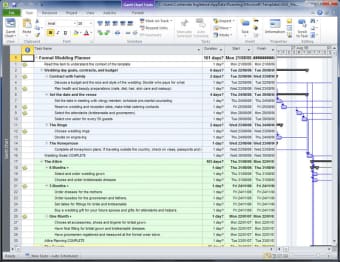
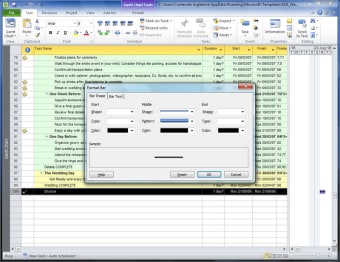
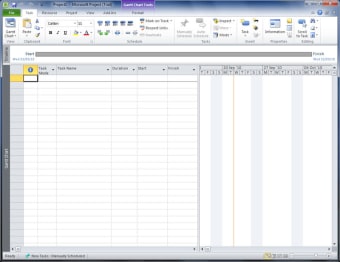
Microsoft Project turns complex schedules into a single plan built around Gantt charts and clear Task dependencies. It’s used when timelines, handoffs, and deliverables must stay auditable, not just done. For offices running multi-phase work, it provides a shared source of dates and accountability that scales from planning to reviews.
Top Recommended Alternative
Microsoft Project also helps managers test staffing and timing before work starts. With Resource leveling, overloaded people and equipment can be spotted early, and Baselines make later variance easy to measure. The tradeoff is setup: tasks and owners must be defined carefully, or the plan becomes noise instead of guidance.
Keeping schedules predictable as plans change
Microsoft Project is built for plans where one slip can cascade. It calculates the Critical path so attention stays on tasks that actually move the finish date. A compact Timeline view also helps stakeholders see key phases without reading the full schedule. Compared with Trello or Asana, it feels less like a checklist and more like an engineered model, which is great for interlinked work but slower for quick brainstorming. Used well, it forces decisions upfront and reduces surprises later. Smartsheet is lighter, but offers less scheduling logic.
Once the plan is set, Progress tracking turns status updates into usable signals instead of scattered chat. Percent complete, dates, and notes can roll into Custom reports that highlight slippage and workload strain for review meetings. That visibility is a major advantage for regulated or high-stakes delivery. The downside is discipline: if updates lag, dashboards mislead. Compared with Monday.com, the workflow is less visual but more exacting, and it rewards teams that treat planning as a living system, not a one-time file for long programs and shared portfolios.
Because schedules connect through work items and resources, small edits can have big effects, so change control matters. Keeping naming consistent, limiting ad-hoc entries, and reviewing variance weekly helps the plan stay trusted. For teams that want lighter task execution, pairing it with Jira can work, while Primavera P6 is a common step up for large programs. The suite’s strength is predictability; its weakness is the time it takes to set up and maintain clean data. That cost is worth it when deadlines and budgets are tight.
A strong fit for formal schedules
Microsoft Project suits teams that need dependable scheduling, clear accountability, and measurable progress across long initiatives. Its modeling approach handles shifting dates and shared resources without turning planning into guesswork. The learning curve is real, but consistent updates pay back with better forecasting and fewer deadline shocks. Recommended for program managers, PMOs, and delivery leads running multi-phase work where a spreadsheet or task board can’t capture the full chain of work and commitments. Projects and need reliable tools to track progress, dependencies, and outcomes accurately in professional environments.